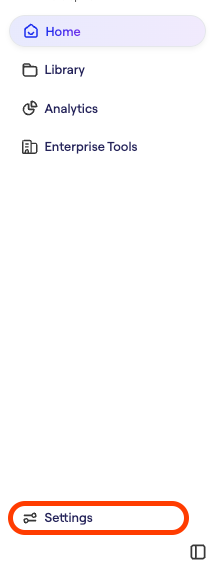
To update the portal with your SSO data:
- Request that your company's Spokn admin provide you with Admin access. Or, email support@getspokn.com to request Admin access.
- Visit the Spokn portal here: SSO Settings:
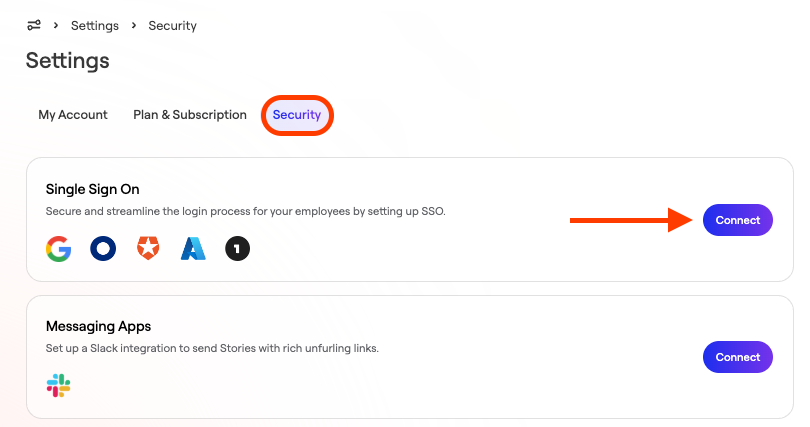
- In the “Security” Tab, select “Connect” in the “Single Sign On” section
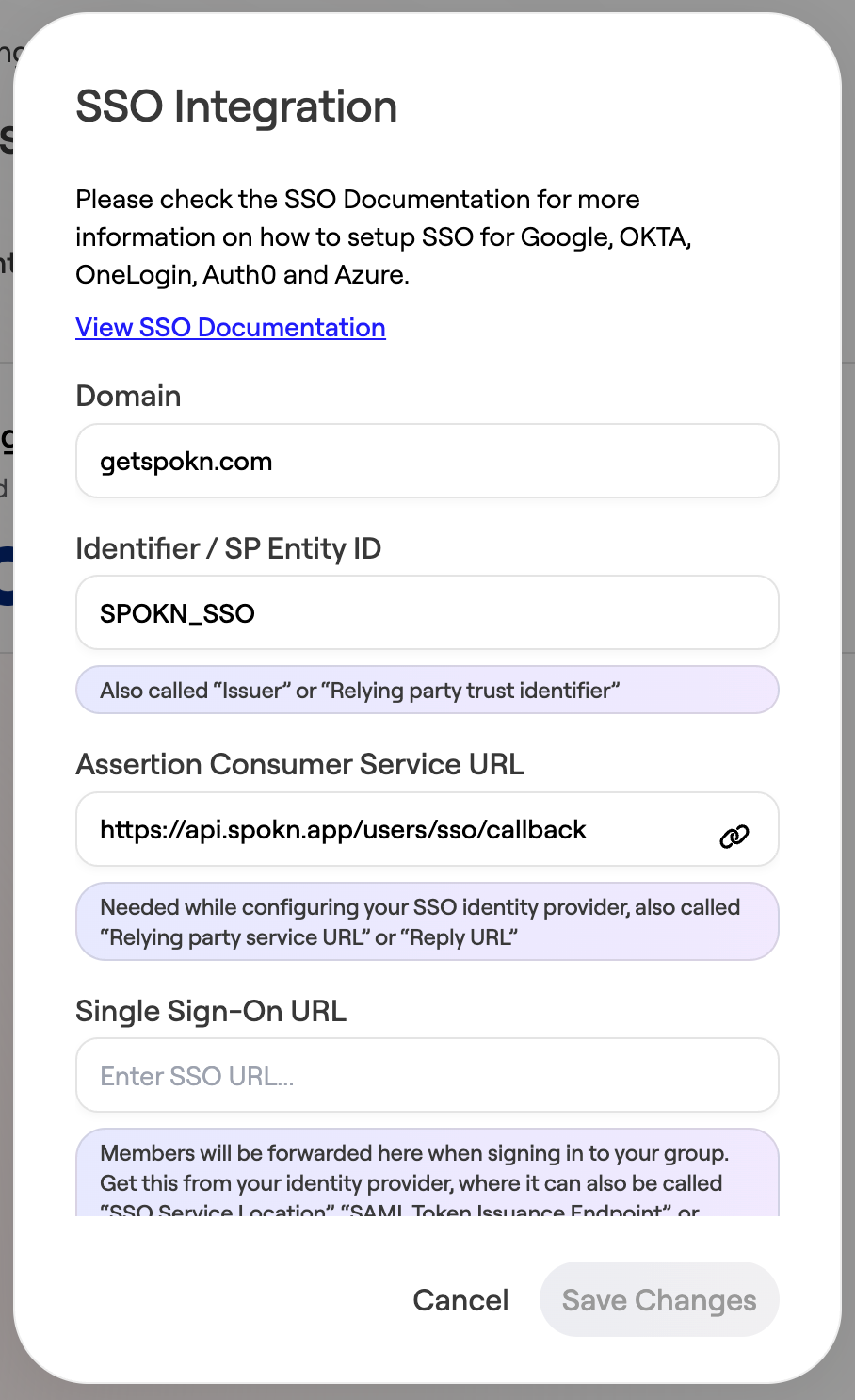
- In the Domain field, set your domain (ex. getspokn.com)
- Copy the Identifier / SP Entity ID (SPOKN_SSO) to your SSO SP identifier (also called: Audience Restriction/sp Entity ID)
- Copy Assertion Consumer Service URL ( https://api.spokn.app/users/sso-web/callback ) to your Reply URL (Also called: SAML Callback URL or Relying Party URL)
- In Single Sign-On URL, paste your SSO Entry URL (Also called: SSO Service Location or SSO Endpoint)
In Certificate, add the certificate from your IdP (no need to remove ---BEGIN CERTIFICATE--- or ---END CERTIFICATE---, they will be truncated automatically).