---
title: Eye Contact Correction
description: Make speakers look into the camera with Spokn's AI Eye Contact Correction. See how to turn it on and get tips on lighting and movement for best results.
---
[Skip to content](https://go.getspokn.com/eye-contact-correction#main-content)
[](https://go.getspokn.com/?hsLang=en)
Open main navigation
Close main navigation
- [Sign in](https://app.getspokn.com/login)
[Sign in](https://app.getspokn.com/login)
Hi, what can we help you with?
- There are no suggestions because the search field is empty.
1. [Spokn Help Center](https://go.getspokn.com/?hsLang=en)
2. [AI-Powered Enhancements](https://go.getspokn.com/ai-powered-enhancements?hsLang=en)
# Eye Contact Correction
Eye Contact Correction helps your videos feel more natural and engaging by adjusting your gaze so it appears you’re looking directly at the camera — even if you were looking at your screen or notes while recording.
This allows you to stay focused on what you’re saying without worrying about maintaining perfect eye contact.
---
#### What Eye Contact Correction does
Eye Contact Correction subtly adjusts your eye direction in your video so it looks like you’re speaking directly to your audience.
This can help you:
- create a more personal and engaging viewing experience
- appear more confident on camera
- reduce the need for retakes
- reference notes or a script while still maintaining eye contact
Maintaining eye contact is important for engagement — videos feel more natural and trustworthy when the speaker appears to be looking directly at the viewer.
---
#### How to use Eye Contact Correction
To use click the 'AI Enhancement' tool next to the clip in question:

Click **Eye Correction:**
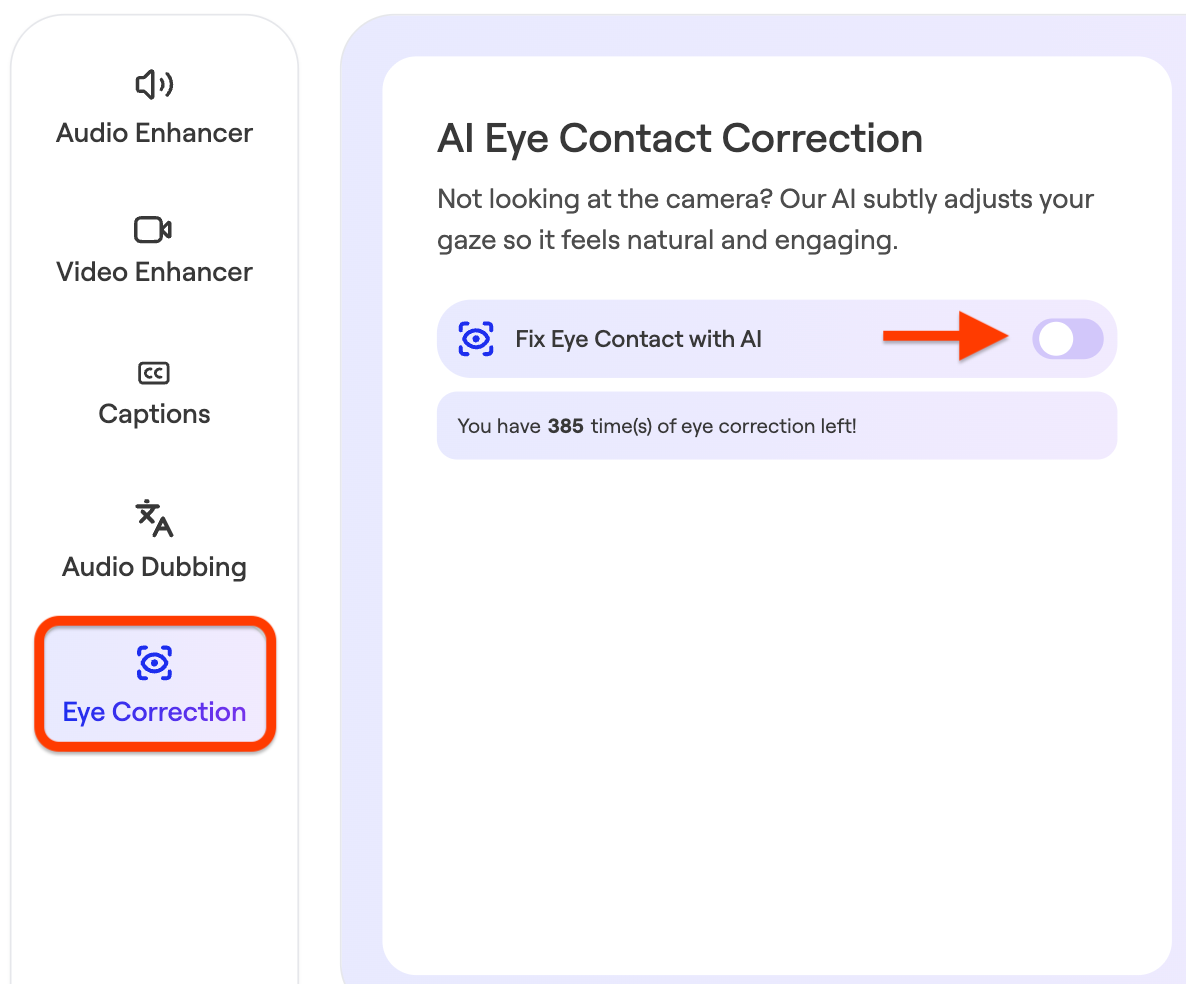
Toggle **Fix Eye Contact with AI:**
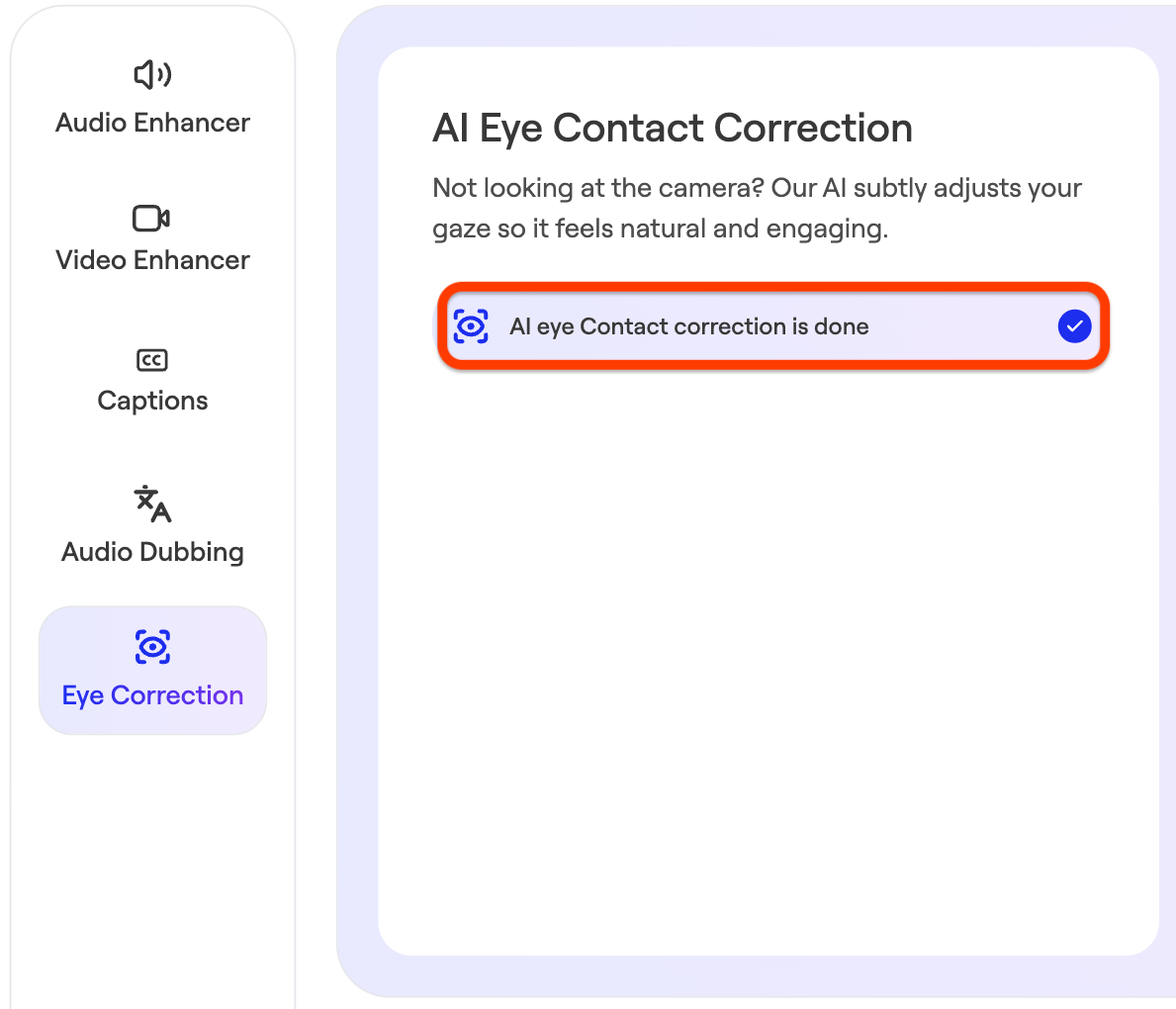
---
#### When to use it
Eye Contact Correction is especially helpful when you:
- are reading from notes or a script
- are recording longer or more detailed videos
- find it difficult to maintain eye contact while speaking
---
#### Tips for best results
For the most natural-looking results:
- keep your face clearly visible in the frame
- record in good lighting
- avoid large or fast head movements
- keep your gaze generally near your screen (not far off-camera)
- use without glasses
The feature works best when your eyes are clearly visible and your face is well-lit.
---
#### What to expect
Eye Contact Correction is designed to be subtle and natural.
In some cases — like low lighting or significant movement—the effect may be less precise. The goal is to enhance your video without making it feel artificial.
---
#### A note about authenticity
Eye Contact Correction helps improve clarity and connection, but your message, tone, and delivery are still what matter most.
Use it as a way to support your communication — not replace it.
- [Admin Setup](https://go.getspokn.com/admin-setup?hsLang=en)
- [Spokn SSO and IT Configuration](https://go.getspokn.com/spokn-sso-and-it-configuration?hsLang=en)
- [Setting Up a Video Story](https://go.getspokn.com/setting-up-a-video-story?hsLang=en)
- [Recording](https://go.getspokn.com/recording?hsLang=en)
- [Recording Best Practices](https://go.getspokn.com/recording-best-practices?hsLang=en)
- [Editing Clips](https://go.getspokn.com/editing-clips?hsLang=en)
- [AI-Powered Enhancements](https://go.getspokn.com/ai-powered-enhancements?hsLang=en)
- [Branding & Customization](https://go.getspokn.com/branding-customization?hsLang=en)
- [Sharing Your Videos](https://go.getspokn.com/sharing-your-videos?hsLang=en)
- [FAQs](https://go.getspokn.com/faqs?hsLang=en)
[](https://www.spokn.com/)
© 2025 Spokn. All Rights Reserved.