---
title: How to Add a Guide Clip to Your Recording Link
description: Add a short guide clip to your Spokn recording link so contributors know what to record. Learn how to set one up and what a good guide clip covers.
---
[Skip to content](https://go.getspokn.com/how-to-add-a-guide-clip-to-your-recording-link#main-content)
[](https://go.getspokn.com/?hsLang=en)
Open main navigation
Close main navigation
- [Sign in](https://app.getspokn.com/login)
[Sign in](https://app.getspokn.com/login)
Hi, what can we help you with?
- There are no suggestions because the search field is empty.
1. [Spokn Help Center](https://go.getspokn.com/?hsLang=en)
2. [Setting Up a Video Story](https://go.getspokn.com/setting-up-a-video-story?hsLang=en)
# How to Add a Guide Clip to Your Recording Link
### **Overview**
A Guide Clip is a short explainer video that's embedded into the recording link, so contributors can view it before they record. It's a great way to share last-minute reminders about tone, attire, filming location, and more.
---
#### Record a Guide Clip
1. Open story.
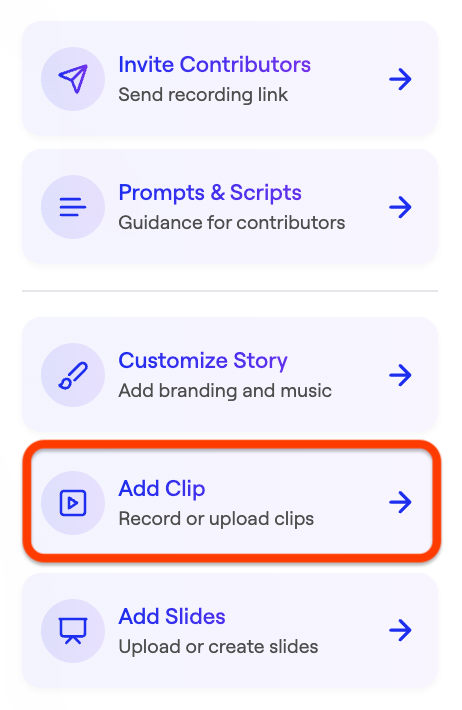
2. Navigate to **Add Clip**.
3. Select **Record a Clip**.
4. 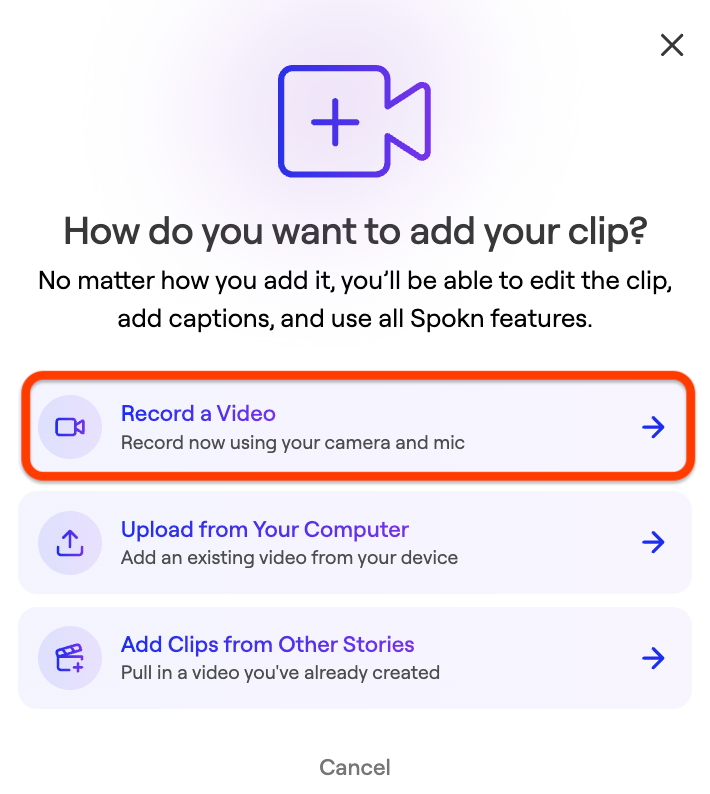Record a video explaining critical guidance.
5. Save your clip
---
#### Set a Clip as a Guide Clip
1. Click the three dot icon next to your clip.
2. Click **Set As Guide Clip**.
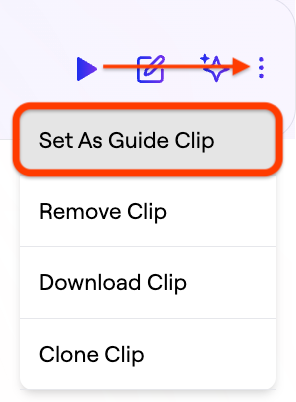
Contributors will see your guide clip embedded in their recording link, so they can watch it before they record.
---
#### What a Good Guide Clip Includes
- Proper framing and lighting
- The desired tone (formal, energetic, reflective)
- Guidance on any attire or filming location requirements
- Answers to any common questions (e.g. where the videos will be used)
Keep it under 30 seconds.
- [Admin Setup](https://go.getspokn.com/admin-setup?hsLang=en)
- [Spokn SSO and IT Configuration](https://go.getspokn.com/spokn-sso-and-it-configuration?hsLang=en)
- [Setting Up a Video Story](https://go.getspokn.com/setting-up-a-video-story?hsLang=en)
- [Recording](https://go.getspokn.com/recording?hsLang=en)
- [Recording Best Practices](https://go.getspokn.com/recording-best-practices?hsLang=en)
- [Editing Clips](https://go.getspokn.com/editing-clips?hsLang=en)
- [AI-Powered Enhancements](https://go.getspokn.com/ai-powered-enhancements?hsLang=en)
- [Branding & Customization](https://go.getspokn.com/branding-customization?hsLang=en)
- [Sharing Your Videos](https://go.getspokn.com/sharing-your-videos?hsLang=en)
- [FAQs](https://go.getspokn.com/faqs?hsLang=en)
[](https://www.spokn.com/)
© 2025 Spokn. All Rights Reserved.