---
title: How to Edit Captions
description: Correct Spokn's auto-generated captions, like misspelled names or jargon. Learn how to edit captions and why to do it after trimming or Magic Editor.
---
[Skip to content](https://go.getspokn.com/how-to-edit-captions#main-content)
[](https://go.getspokn.com/?hsLang=en)
Open main navigation
Close main navigation
- [Sign in](https://app.getspokn.com/login)
[Sign in](https://app.getspokn.com/login)
Hi, what can we help you with?
- There are no suggestions because the search field is empty.
1. [Spokn Help Center](https://go.getspokn.com/?hsLang=en)
2. [Editing Clips](https://go.getspokn.com/editing-clips?hsLang=en)
# How to Edit Captions
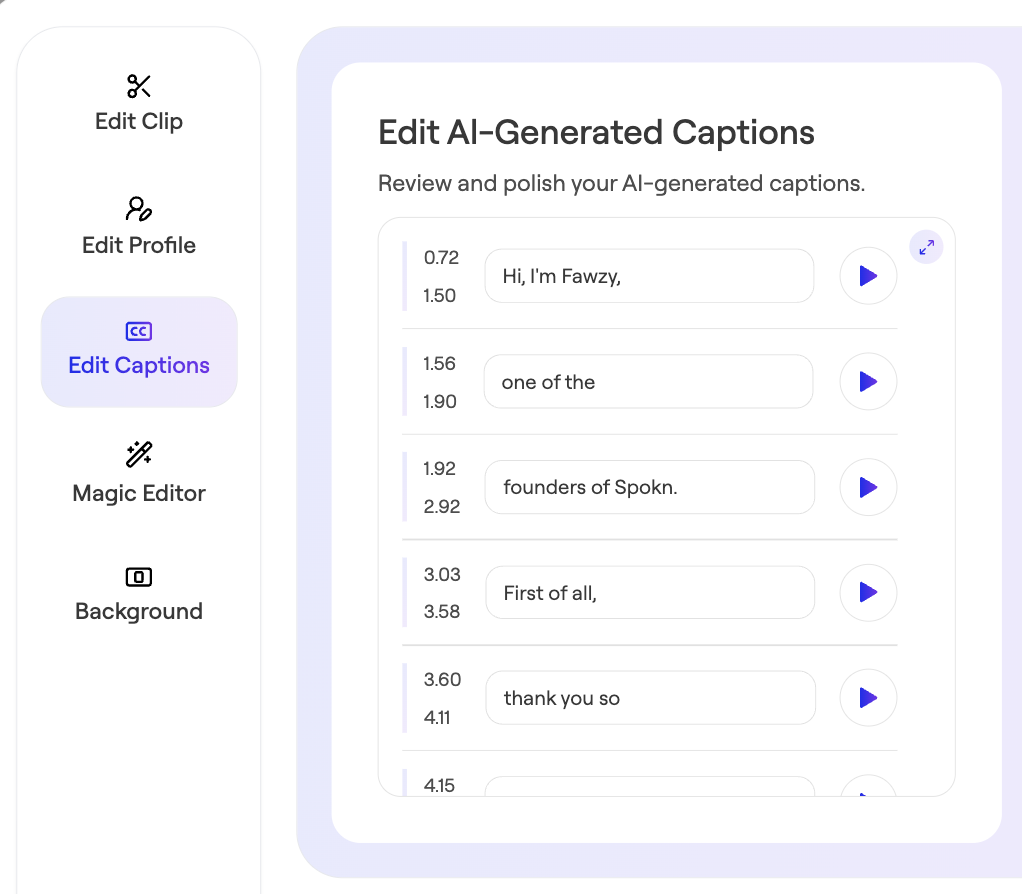
Spokn uses AI to automatically add captions to every video clip you collect. While the AI is very accurate, it occasionally misspells names or technical jargon. So, Spokn makes it easy to edit the captions directly.
⚠️ **Important:** To keep your captions in sync with your video content, it's best to edit your captions **after** you use the trim or Magic Editor functions on Spokn.
---
### Edit Captions
1. Open your story.
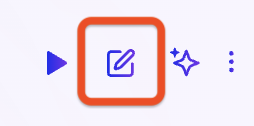
2. Click the Edit Clip icon next to the clip whose captions you want to edit.
3. Edit captions as needed.
4. Save changes.
- [Admin Setup](https://go.getspokn.com/admin-setup?hsLang=en)
- [Spokn SSO and IT Configuration](https://go.getspokn.com/spokn-sso-and-it-configuration?hsLang=en)
- [Setting Up a Video Story](https://go.getspokn.com/setting-up-a-video-story?hsLang=en)
- [Recording](https://go.getspokn.com/recording?hsLang=en)
- [Recording Best Practices](https://go.getspokn.com/recording-best-practices?hsLang=en)
- [Editing Clips](https://go.getspokn.com/editing-clips?hsLang=en)
- [AI-Powered Enhancements](https://go.getspokn.com/ai-powered-enhancements?hsLang=en)
- [Branding & Customization](https://go.getspokn.com/branding-customization?hsLang=en)
- [Sharing Your Videos](https://go.getspokn.com/sharing-your-videos?hsLang=en)
- [FAQs](https://go.getspokn.com/faqs?hsLang=en)
[](https://www.spokn.com/)
© 2025 Spokn. All Rights Reserved.