---
title: How to Set Scripts for Contributors
description: Preload a contributor's Spokn teleprompter with a script or talking points. Assign scripts by email, and learn how voice-synced auto-scroll works.
---
[Skip to content](https://go.getspokn.com/how-to-set-scripts-for-contributors#main-content)
[](https://go.getspokn.com/?hsLang=en)
Open main navigation
Close main navigation
- [Sign in](https://app.getspokn.com/login)
[Sign in](https://app.getspokn.com/login)
Hi, what can we help you with?
- There are no suggestions because the search field is empty.
1. [Spokn Help Center](https://go.getspokn.com/?hsLang=en)
2. [Setting Up a Video Story](https://go.getspokn.com/setting-up-a-video-story?hsLang=en)
# How to Set Scripts for Contributors
### Overview
Spokn offers a telelprompter to contributors. You can pre-populate a contributor's teleprompter with a script or talking points using these steps.
In the recording experience, contributors are able to edit any script assigned to them to match their tone and voice.
---
#### Step 1: Open Scripts
1. Open your Video Story.
2. Select **Prompts and Scripts** in the right-hand navigation.
3. Choose **Scripts** in the top navigation.

---
#### Step 2: Add a Script
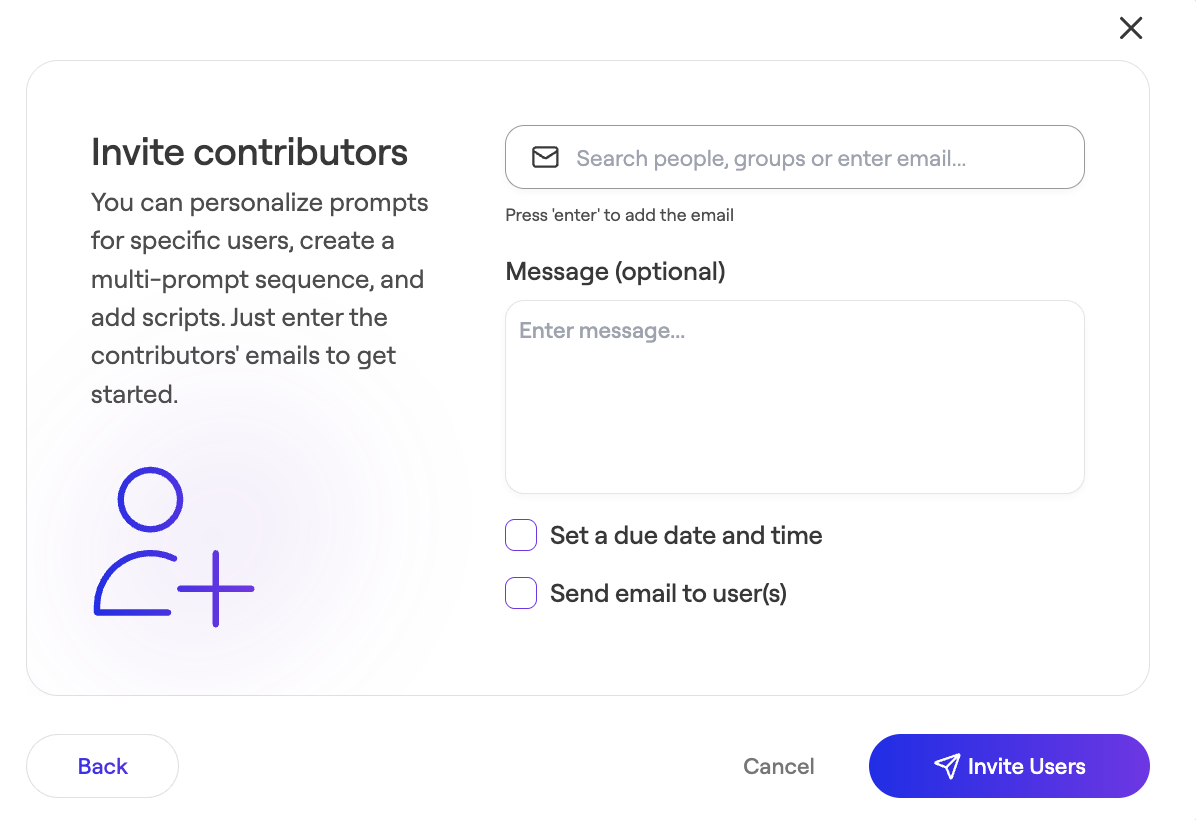
Spokn display a scpecific script to a specific user by assiciating the script to the email address they will use to recordi. To add a script for a contributor:
1. Open Prompts & Scripts in the right-hand navigation
2. **Click Scripts** in the top navigation
3. Click **Invite Users** in the bottom right corner.
4. Enter their email address.
5. Click Invite Users.
6.  Click Add Script for the contributor in question.
7. Enter the text contributors should read.
8. Save.
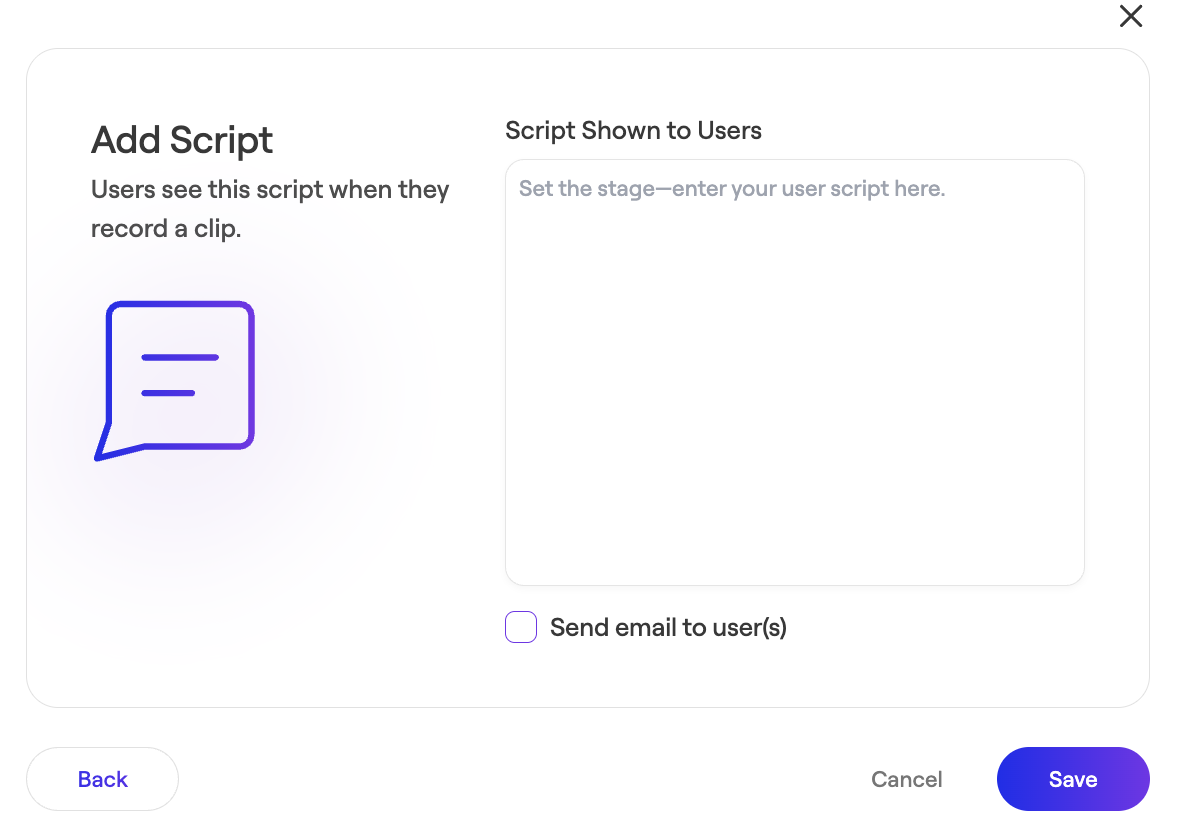
If a contributor is already listed (for example, if you've already assigned them a personalized prompt), simply click their name in the contributor list and follow steps 6-8 above.
---
#### Understanding the Contributor's Experience
- Contributors can edit the script to match their tone of voice.
- The script scrolls for easier reading. Contributors can adjust its size and speed.
- Contributors can also choose to sync the teleprompter to scroll automatically as you speak, and pause when they pause. If using this feature, remove any line breaks from your script before recording to ensure the teleprompter continues to advance properly.
- [Admin Setup](https://go.getspokn.com/admin-setup?hsLang=en)
- [Spokn SSO and IT Configuration](https://go.getspokn.com/spokn-sso-and-it-configuration?hsLang=en)
- [Setting Up a Video Story](https://go.getspokn.com/setting-up-a-video-story?hsLang=en)
- [Recording](https://go.getspokn.com/recording?hsLang=en)
- [Recording Best Practices](https://go.getspokn.com/recording-best-practices?hsLang=en)
- [Editing Clips](https://go.getspokn.com/editing-clips?hsLang=en)
- [AI-Powered Enhancements](https://go.getspokn.com/ai-powered-enhancements?hsLang=en)
- [Branding & Customization](https://go.getspokn.com/branding-customization?hsLang=en)
- [Sharing Your Videos](https://go.getspokn.com/sharing-your-videos?hsLang=en)
- [FAQs](https://go.getspokn.com/faqs?hsLang=en)
[](https://www.spokn.com/)
© 2025 Spokn. All Rights Reserved.