---
title: Recording Experience Customization (Premium Feature)
description: White-label Spokn's recording page with your logo, colors, and button styles, and customize welcome, invitee form, and success messages.
---
[Skip to content](https://go.getspokn.com/recording-experience-customization-premium-feature#main-content)
[](https://go.getspokn.com/?hsLang=en)
Open main navigation
Close main navigation
- [Sign in](https://app.getspokn.com/login)
[Sign in](https://app.getspokn.com/login)
Hi, what can we help you with?
- There are no suggestions because the search field is empty.
1. [Spokn Help Center](https://go.getspokn.com/?hsLang=en)
2. [Branding & Customization](https://go.getspokn.com/branding-customization?hsLang=en)
# Recording Experience Customization (Premium Feature)
### Overview
Customize the recording experience so it reflects your brand and feels familiar to your audience.
With design and messaging controls, you can tailor what contributors see when they record - everything from colors and logos to the language used throughout the experience. This helps create a more consistent, recognizable experience, especially when sharing recording links with external audiences or running targeted campaigns.
---
### Customize Design
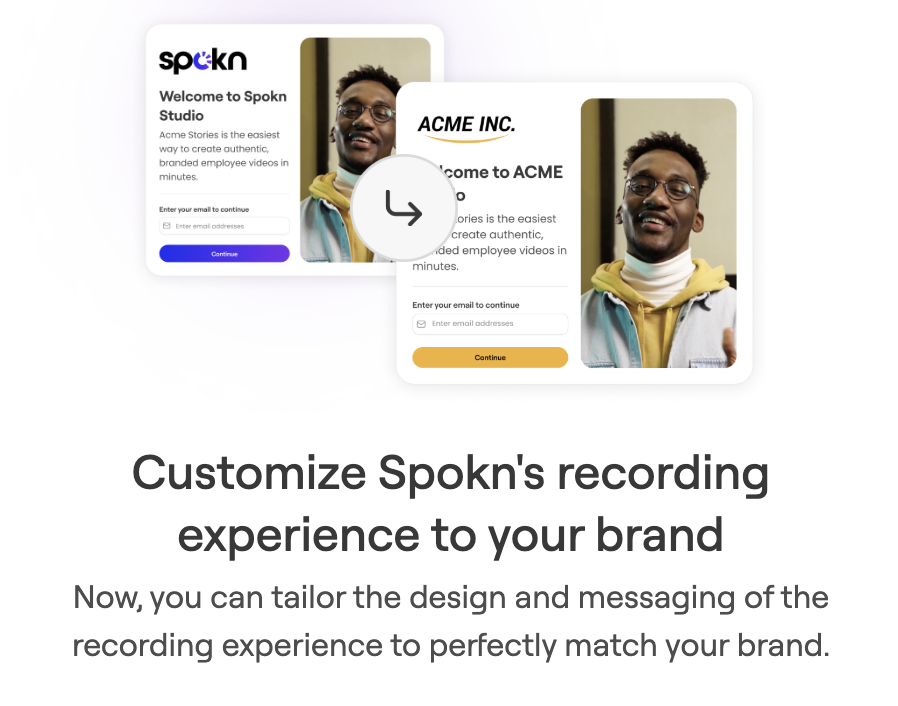
Tailor the look and feel of the recording experience so it perfectly matches your brand colors, logo, and more.
This is a white-label feature that allows admins to fully brand the recording experience. Instead of seeing Spokn branding, contributors will see your company’s branding when they record.
---
### What you can customize
- Color mode (white or dark background)

- Title color

- Body text color

- Button shape

- Button primary and secondary and colors


- Recording view button color

- Company logo (replacing Spokn's logo)\*
\*Logos from your branding kit will appear by default and can’t be further modified at the design level.
---
### How to customize design
1. Click **Home** on the left pane
2. Click **Customize Experience**
3. Start customizing the design


Or
1. Click **Enterprise Tools** on the left pane
2. Click **Recording Experience**
3. Click **Customize Design**

---
### Customize Messaging
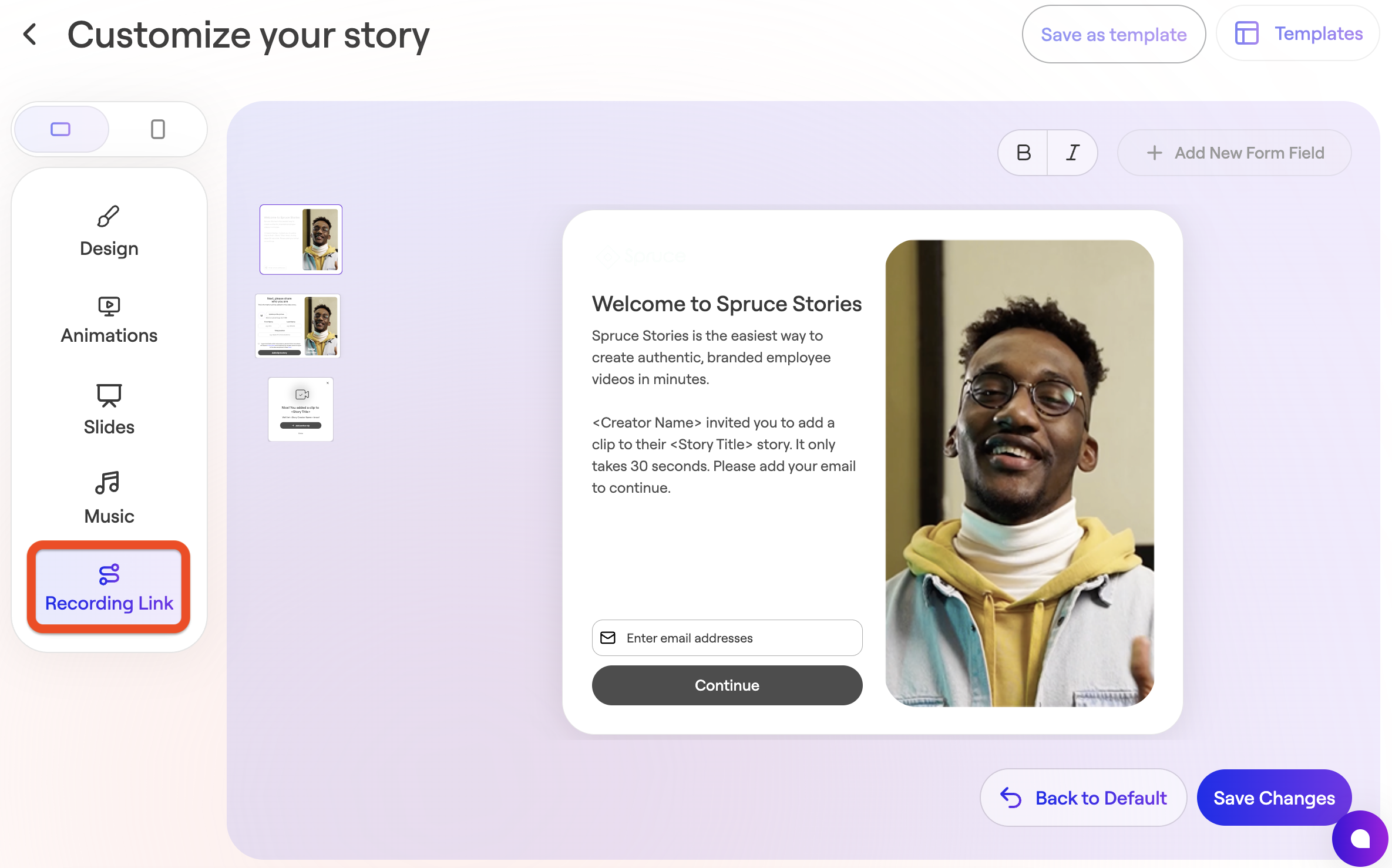
Update the messaging in the recording experience to match your tone and the level of detail you want to include.
This is especially useful when sharing recording links with external audiences (like customers or partners), where unfamiliar branding may cause hesitation.
---
#### What you can customize
All text and copy in the recording experience:
- The welcome message

- Invitee information form

- Success message

This can be updated on a per-project basis (e.g., "Welcome, Harvard students…" for a specific university partner campaign).
---
### How to customize messaging
You can customize messaging in two places:
**At the account level** (applies to all new stories by default)
1. Click **Home** on the left pane
2. Click **Customize Experience**
3. Start customizing the messaging


Or
1. Click **Enterprise Tools** in the left panel
2. Click **Recording Experience**
3. Click **Customize Messaging**

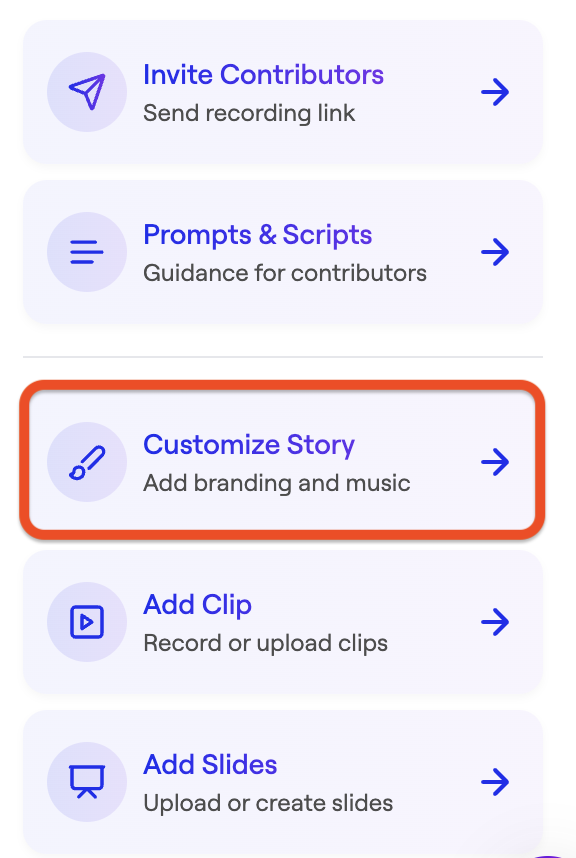
**At the story level** (unique to each story)
1. Click **Customize Story** in your story
2. Click **Recording Link**
3. Make your edits
4. Click **Save Changes**
---
### Why it matters
- **Build trust:** Familiar branding helps people feel more comfortable when opening a recording link
- **External use:** Works well for customer testimonials, partner content, and outreach
- **Targeted campaigns:** Customize messaging for specific audiences or projects
- **Stay consistent:** Keep the experience aligned with your brand across all videos
- [Admin Setup](https://go.getspokn.com/admin-setup?hsLang=en)
- [Spokn SSO and IT Configuration](https://go.getspokn.com/spokn-sso-and-it-configuration?hsLang=en)
- [Setting Up a Video Story](https://go.getspokn.com/setting-up-a-video-story?hsLang=en)
- [Recording](https://go.getspokn.com/recording?hsLang=en)
- [Recording Best Practices](https://go.getspokn.com/recording-best-practices?hsLang=en)
- [Editing Clips](https://go.getspokn.com/editing-clips?hsLang=en)
- [AI-Powered Enhancements](https://go.getspokn.com/ai-powered-enhancements?hsLang=en)
- [Branding & Customization](https://go.getspokn.com/branding-customization?hsLang=en)
- [Sharing Your Videos](https://go.getspokn.com/sharing-your-videos?hsLang=en)
- [FAQs](https://go.getspokn.com/faqs?hsLang=en)
[](https://www.spokn.com/)
© 2025 Spokn. All Rights Reserved.